Coffee Digital Papers: Seamless Patterns for Designers, Crafters, and Coffee Lovers
There’s something deeply comforting—and creatively energizing—about coffee. It fuels early-morning brainstorming sessions, late-night design sprints, and quiet moments of inspiration. Now imagine channeling that same warmth, richness, and rhythm into your digital projects. That’s exactly what coffee digital papers deliver: high-resolution, seamless patterns inspired by the textures, tones, and tactile charm of real coffee—roasted beans, steamed milk swirls, vintage café signage, and weathered espresso bar surfaces.
What Makes These Coffee Patterns Truly Seamless?
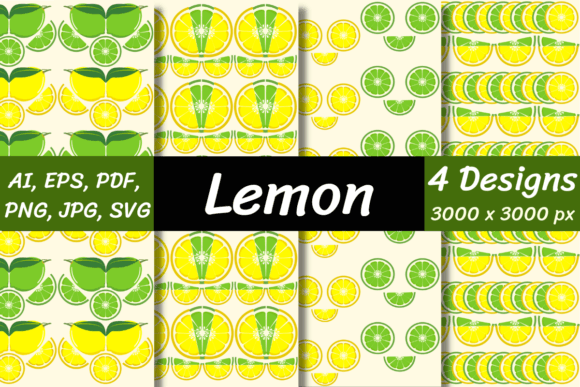
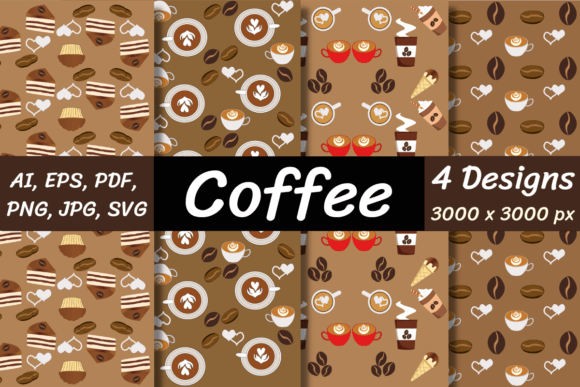
“Seamless” isn’t just marketing jargon here—it’s a functional necessity. A seamless pattern repeats without visible edges, gaps, or misaligned tiles. Whether you’re designing a social media background, wrapping a product mockup, or creating stationery for a local roastery, these patterns flow naturally across any surface. Each of the included files—AI, EPS, PDF, JPG, PNG, PNG with transparent background, and SVG—has been meticulously crafted to tile flawlessly at 3000 x 3000 pixels. That resolution ensures crisp detail whether you’re printing a large-format poster or scaling down for an Instagram story overlay.
Unlike low-res stock textures or generic brown gradients, these coffee digital papers capture authentic nuance: the subtle grain of a burlap coffee sack, the soft halo of latte foam dissolving into ceramic, the warm, uneven patina of a decades-old copper espresso machine. They’re not just “coffee-colored”—they’re coffee-feeling.
Why Designers Reach for Coffee-Themed Assets
Coffee is more than a beverage—it’s a cultural shorthand. It signals warmth, authenticity, craftsmanship, and daily ritual. Brands in food & beverage, wellness, education, and even tech lean into coffee visuals to evoke approachability and grounded energy. A café owner launching a new seasonal menu? A coffee digital paper adds instant atmosphere to flyers and email headers. A planner designer building a productivity-themed journal? A subtle bean-textured background lends tactile depth without overwhelming typography.
And because each file comes in multiple formats, flexibility is built in. Use the SVG for scalable web graphics or animated overlays. Drop the PNG with transparency into Canva or Figma for layered compositions. Open the AI or EPS in Adobe Illustrator to recolor individual elements or extract motifs (like a single espresso cup icon or steam curl) for custom illustrations.
Real-World Uses Across Creative Workflows
- Print-on-Demand Products: Apply the patterns to mug mockups, tote bag templates, or notebook covers—no licensing worries, since you own the files outright.
- Social Media Kits: Create cohesive Instagram carousels or Pinterest pins where every slide shares the same warm, inviting texture—reinforcing brand voice without repeating identical photos.
- Digital Planners & Notion Templates: Layer a soft coffee-stain pattern behind bullet journal pages or habit trackers. It adds visual interest while keeping focus on content—not decoration.
- Web & App UI Elements: Use the SVG version as a subtle background for call-to-action buttons or section dividers—especially effective for food blogs, subscription boxes, or remote-work toolkits.
- Physical Craft Projects: Print the JPG or PDF onto cardstock for handmade greeting cards, scrapbook pages, or gift tags—perfect for barista birthdays or “thank you for the caffeine” notes.
Quality You Can Trust—From Pixel to Print
At 3000 x 3000 pixels, these coffee digital papers are engineered for professional output. That means no pixelation when enlarged for wall art, no banding in gradients when printed on matte paper, and no color shifts between screen and press—provided your workflow uses sRGB or Adobe RGB consistently. The files are also optimized for fast loading (especially the JPG and PNG variants), so your design software stays responsive even when working with multiple layers.
Transparency matters—literally. The included PNG with transparent background lets you overlay coffee textures on photos, logos, or colored shapes without clipping masks or erasing. Want that rich mocha tone to show through only where your text sits? Just set the layer blend mode to Multiply in Photoshop or use backdrop-filter in CSS for modern web effects.
How to Get Started—Fast & Frictionless
Once you’ve purchased and downloaded the coffee digital papers, you’ll receive a single ZIP file. This keeps everything organized and reduces download time. To access the contents, you’ll need unzipping software—WinZip, WinRAR, 7-Zip, or the built-in utilities on macOS and Windows 10/11 all work perfectly. Double-click the ZIP, drag the folder to your desktop or creative assets library, and you’re ready.
No subscriptions. No watermarks. No monthly fees. You download once, own forever—and use across personal and commercial projects (always check the included license for permitted uses, but standard licenses typically cover small business use, client work, and digital resale of derivative designs).
Pro Tip: Organize Before You Create
Before diving into a project, spend two minutes organizing your files. Create a dedicated “Coffee Papers” folder inside your design assets directory. Inside it, make subfolders: “Vector,” “Raster,” “Transparent,” and “Print-Ready.” Drag each file type into its home. This saves time later—especially when you’re mid-flow on a deadline and need that SVG steam swirl *right now*.
Choosing the Right Coffee Pattern for Your Project
Not all coffee looks the same—and neither should your patterns. Consider the mood you want to convey:
- Earthy & Rustic: Opt for patterns with visible burlap weave, raw bean clusters, or chalkboard-style typography. Ideal for artisanal roasters or farm-to-cup brands.
- Clean & Modern: Choose minimalist latte foam swirls, geometric coffee cup silhouettes, or soft tonal gradients. Great for tech startups offering remote-work tools or wellness apps.
- Vintage & Nostalgic: Go for sepia-toned café signage, retro typewriter fonts layered over coffee stains, or faded espresso machine schematics. Perfect for heritage brands or storytelling campaigns.
- Playful & Whimsical: Try animated steam curls, cartoonish beans bouncing across the canvas, or confetti-like grounds. Works well for kids’ activity books, teacher resources, or café loyalty programs.
The variety in this collection means you’re not locked into one aesthetic. You can mix and match—use a dark roast texture for headers and a light foam pattern for footers—or build a full brand system around a single cohesive coffee motif.
Design Responsibly—Without Overloading the Viewer
Coffee patterns invite warmth—but too much texture can compete with content. As a rule of thumb: if your text is smaller than 16px or your call-to-action button is under 44px tall, avoid busy backgrounds. Instead, use the lighter, airier patterns (think frothed milk or soft shadow gradients) or apply a subtle overlay (10–20% opacity black or white) to improve contrast.
You can also use the patterns selectively—not as full backgrounds, but as accents. Try a thin horizontal strip of coffee bean texture beneath a headline, or a corner flourish made from a rotated SVG coffee cup icon. Small doses often resonate most.
More Than Just Backgrounds—They’re Mood Makers
In a world saturated with sterile minimalism and AI-generated sameness, coffee digital papers offer something human: irregularity, warmth, and memory. That slight imperfection in a hand-drawn steam line? That’s intention—not error. That variation in bean color across the pattern? It mirrors real life. When your audience sees it, they don’t just register “coffee”—they feel the pause, the ritual, the quiet focus that comes with holding a warm mug in their hands.
That emotional resonance is why these patterns endure. They’re not trends. They’re tools—for designers who care about craft, for makers who value authenticity, and for everyone who believes great coffee deserves great design.
Buy Download the coffee digital papers now and enjoy instant access to all four high-quality files—ready to drop into your next project, today.